
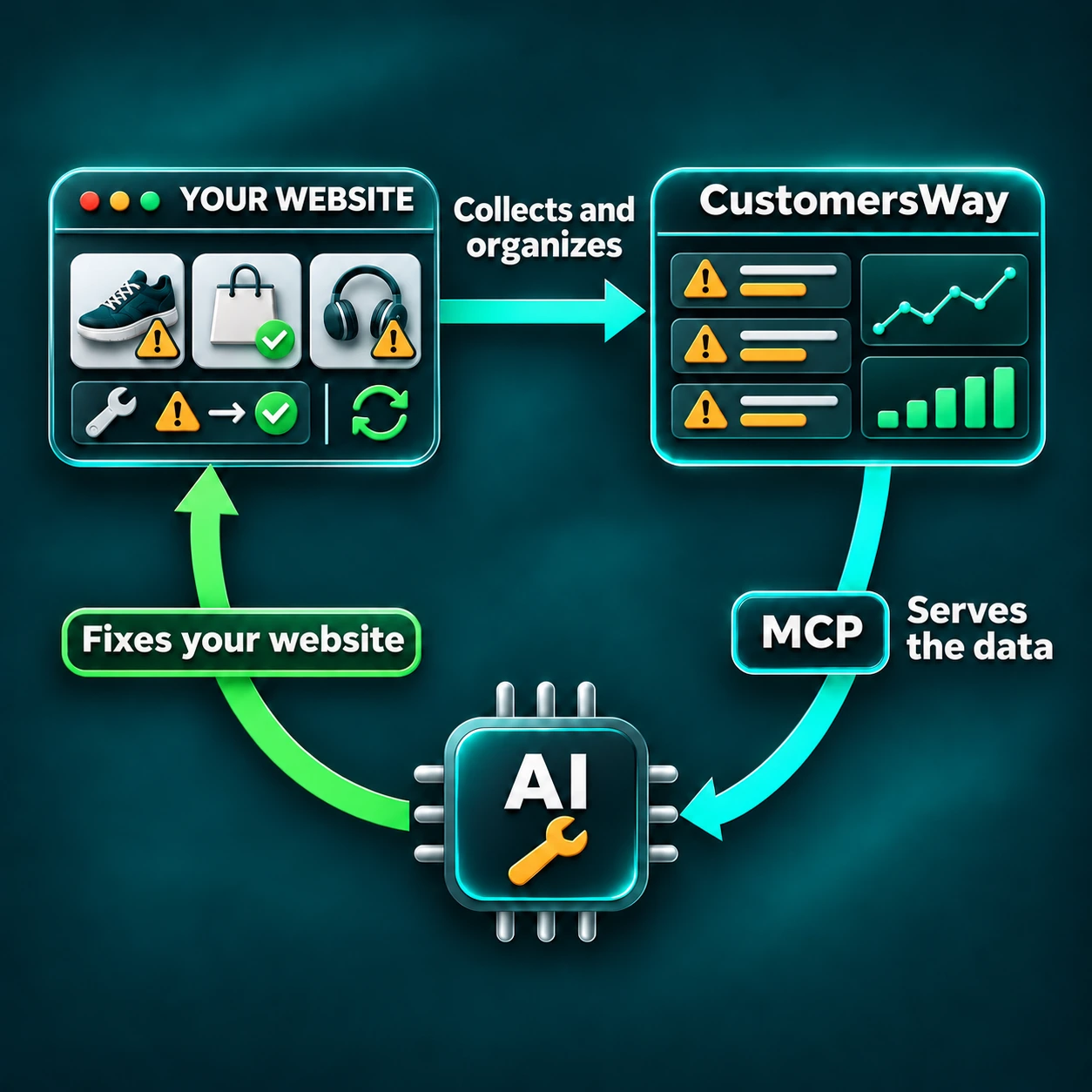
From real incidents to fixes with CustomersWay MCP and AI
CustomersWay detects issues experienced by real visitors. Through MCP, your AI assistant can consult available incident data and use that context to help your team investigate and fix problems.
A continuous cycle: detect, understand, fix and monitor
1. CustomersWay detects
CustomersWay monitors real visits and identifies issues such as errors, broken links and performance problems. It groups incidents and provides context to help your team prioritize.
2. MCP connects the context to AI
Connect a compatible AI assistant to CustomersWay MCP. The assistant can request available data, including broken links, instead of working from an isolated error message.
3. Your team and AI investigate and fix
With the available incident context, the assistant can help identify causes and propose corrections. If it has access to the relevant development tools and your authorization, it can also help implement them.
4. CustomersWay continues monitoring
After a change is deployed, real visits provide new evidence. Review the incident and its evolution in CustomersWay to assess whether the problem has been resolved and detect regressions.
More context, less guesswork
The available information depends on the incident and the MCP tools used. For example, broken-link queries can be filtered by project, date, origin and page. This helps the assistant investigate the problem in the context of actual visits.
MCP reads data; your team controls changes
The CustomersWay MCP integration provides read-only access to data. It does not change your website by itself: any fix depends on the assistant, its access to your development environment and your team’s permissions and review.
Turn real incidents into informed action
Discover how CustomersWay and your AI assistant can help your team investigate and follow up on web issues.